Install the Android miner APK, step by step
The Primo ARM Miner app is a one-tap way to mine Monero, Verus and more on an Android phone — no terminal, no root. Because Google Play bans mining apps, you sideload it, which means one scary-looking Play Protect screen you'll walk straight past. Every shot below is a real capture from a stock Galaxy Note 20 (Android 13).
1 · Get the app
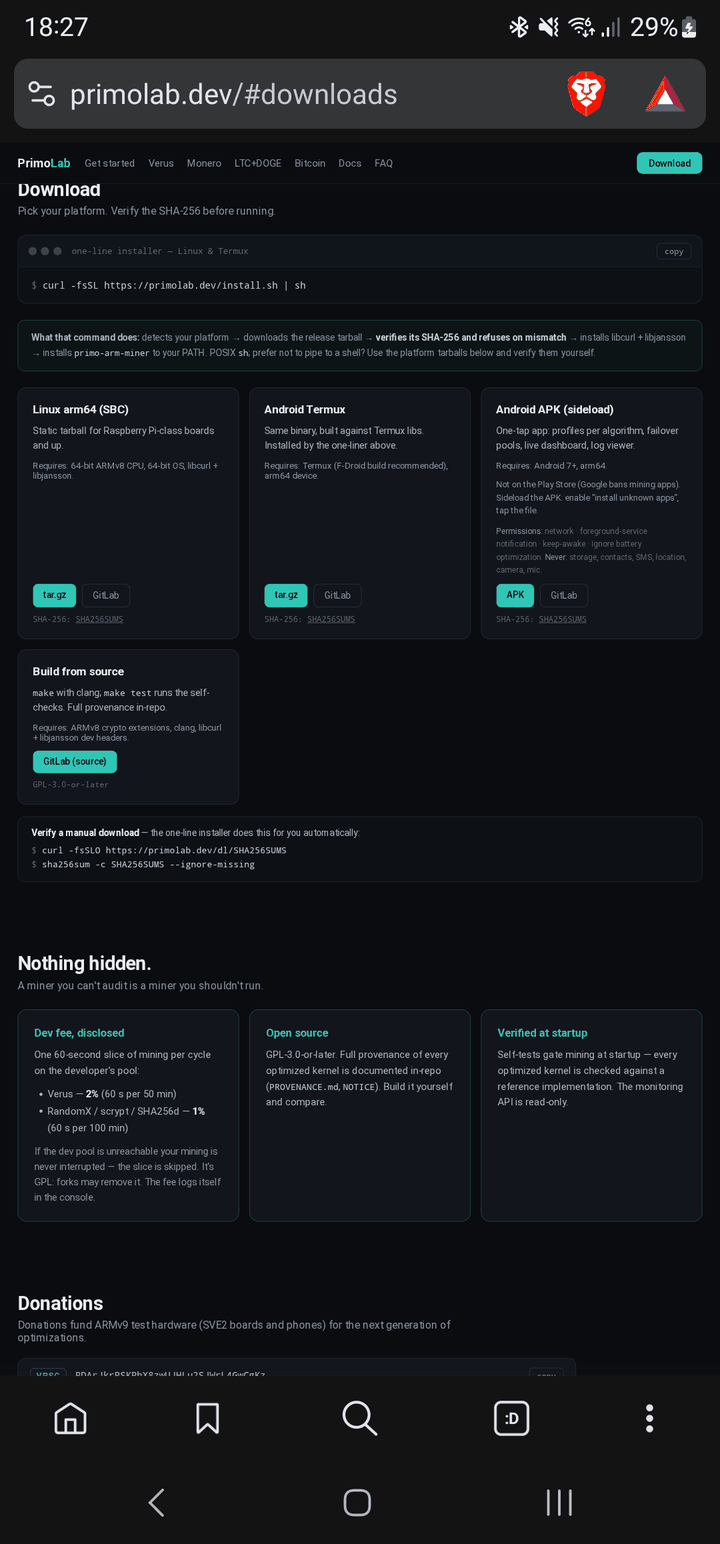
On the phone, open primolab.dev and scroll to Download. Under Android APK (sideload), tap APK. Your browser downloads a ~2 MB file.
It's not on the Play Store — Google bans on-device mining apps — so this is the official way to get it. Want to check the file first? Each download lists its SHA-256, so you can verify the exact APK.
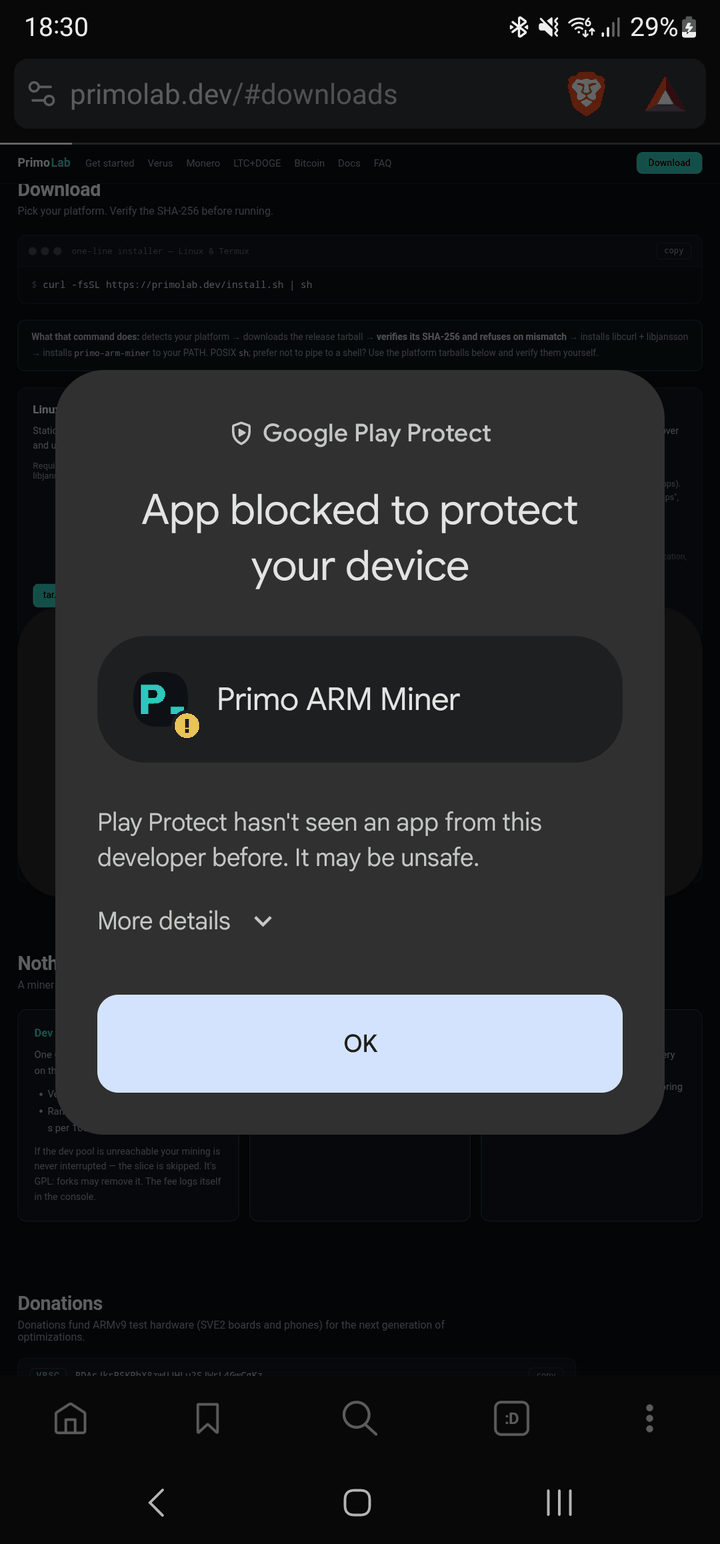
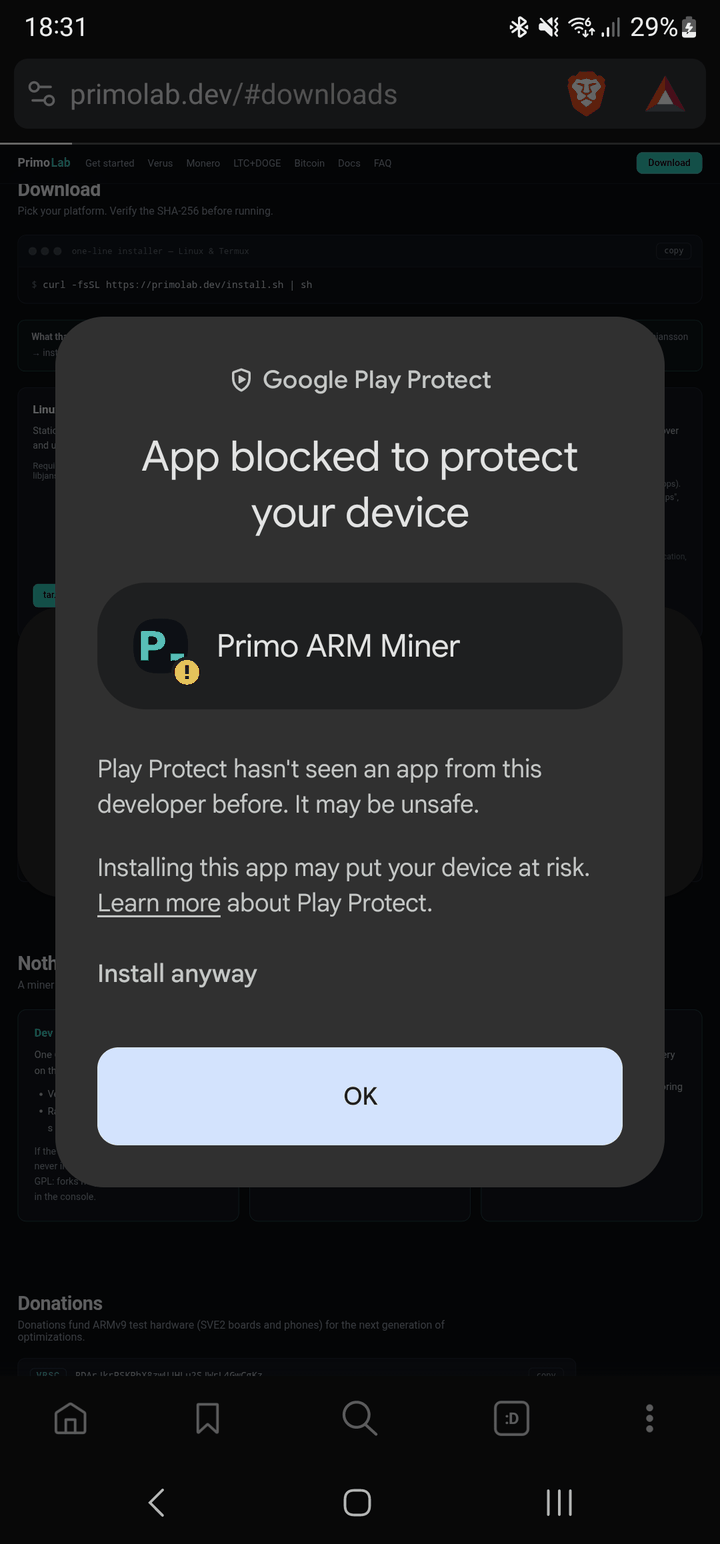
2 · Install it — and the Play Protect warning
Open the downloaded file (from the browser's Open prompt, the notification, or your Downloads folder) and tap Install. If Android asks, allow your browser to install unknown apps.
Tap More details, then Install anyway. A moment later: App installed. Tap Open.
3 · First launch
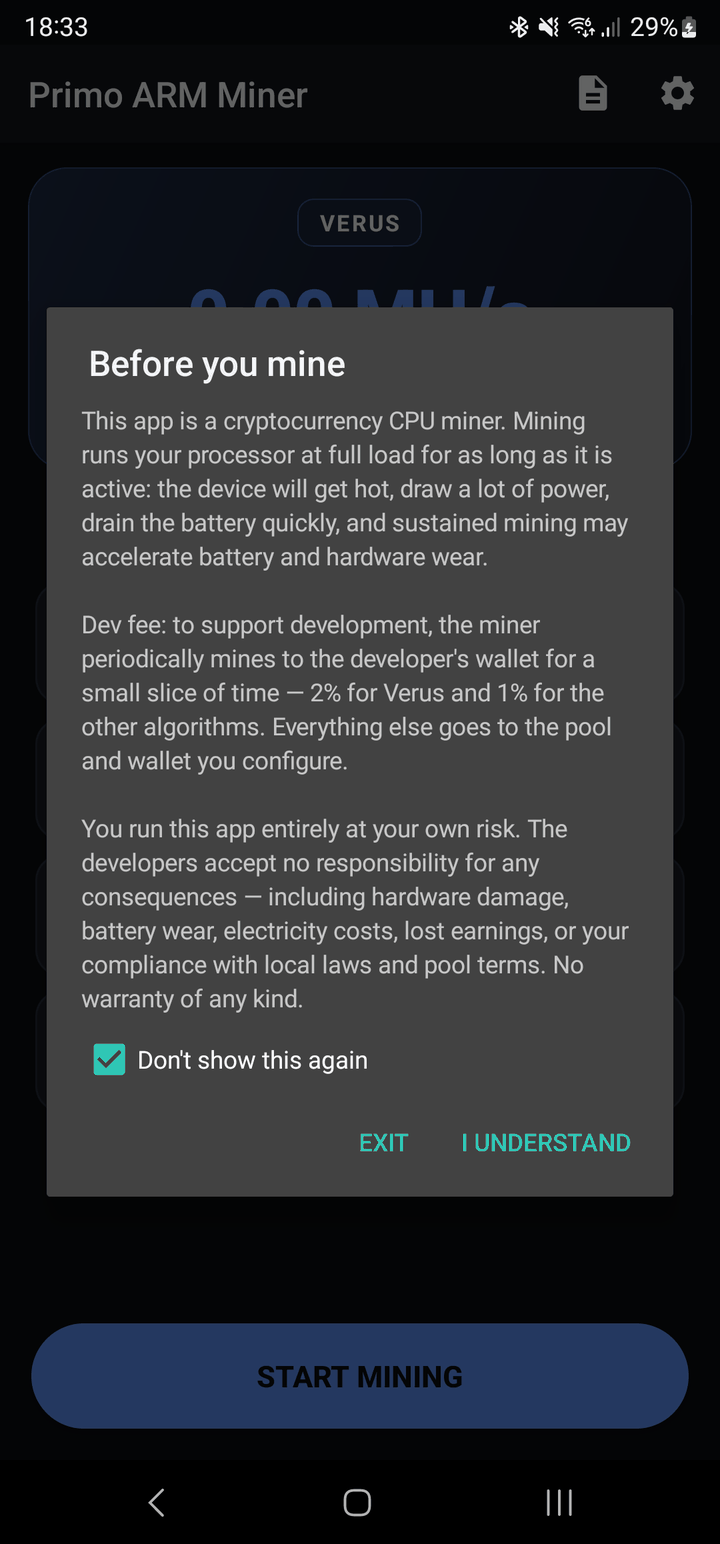
On first open you'll see "Before you mine." It says plainly what mining does to a phone — full CPU load, heat, faster battery drain — and discloses the dev fee: 2% for Verus, 1% for the other algorithms, mined to the developer's wallet for a short slice of each cycle. Everything else goes to the pool and wallet you set.
Read it, then tap I Understand.
4 · Configure
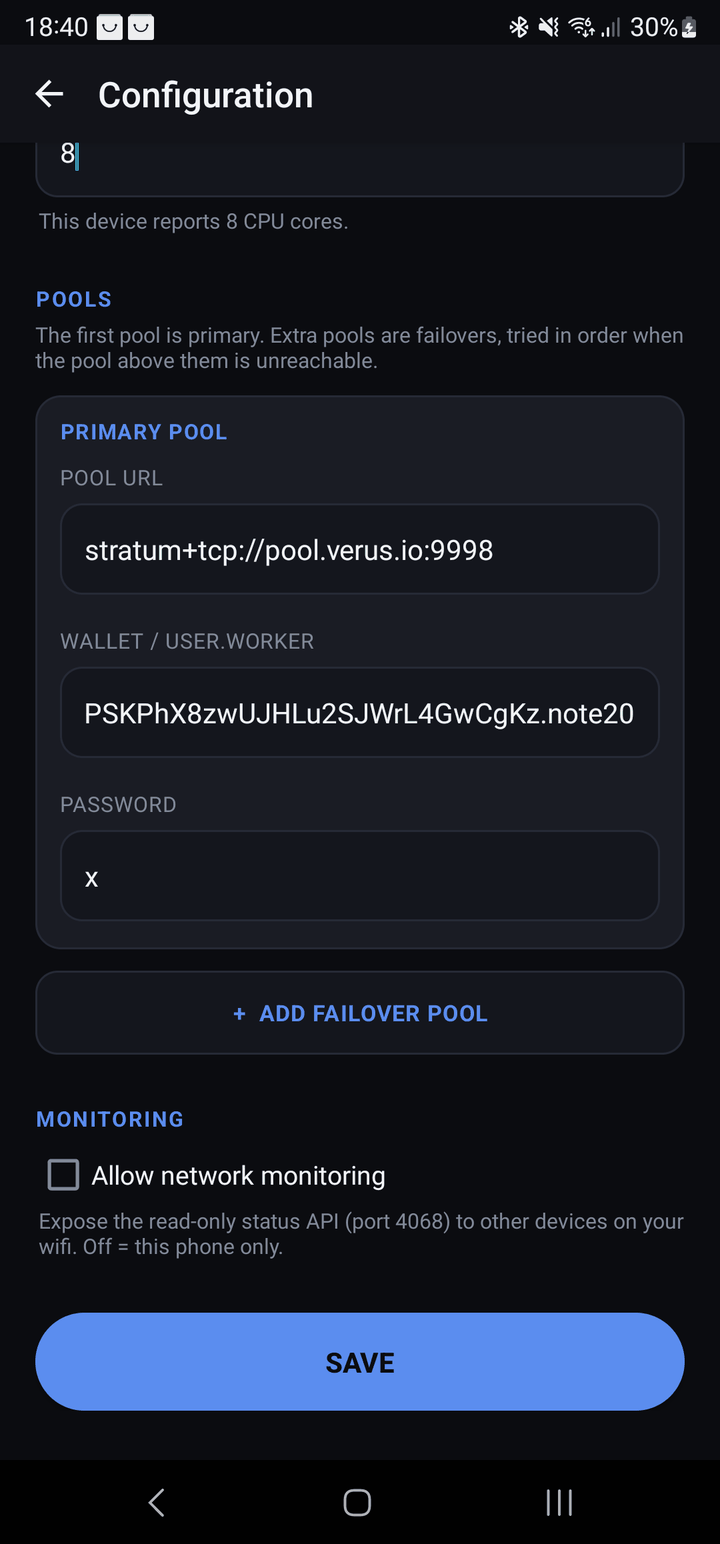
Tap the gear icon and fill in:
- Algorithm — Verus or Monero are the real CPU coins; scrypt (LTC+DOGE) and Bitcoin are also there.
- Threads — defaults sensibly; you can set it to your full core count (8 here).
- Pool URL — e.g.
stratum+tcp://pool.verus.io:9998. - Wallet / user.worker — paste your own wallet address.
You can add up to three failover pools. Tap Save. (Each per-coin guide has the exact pool and wallet format.)
5 · Start mining
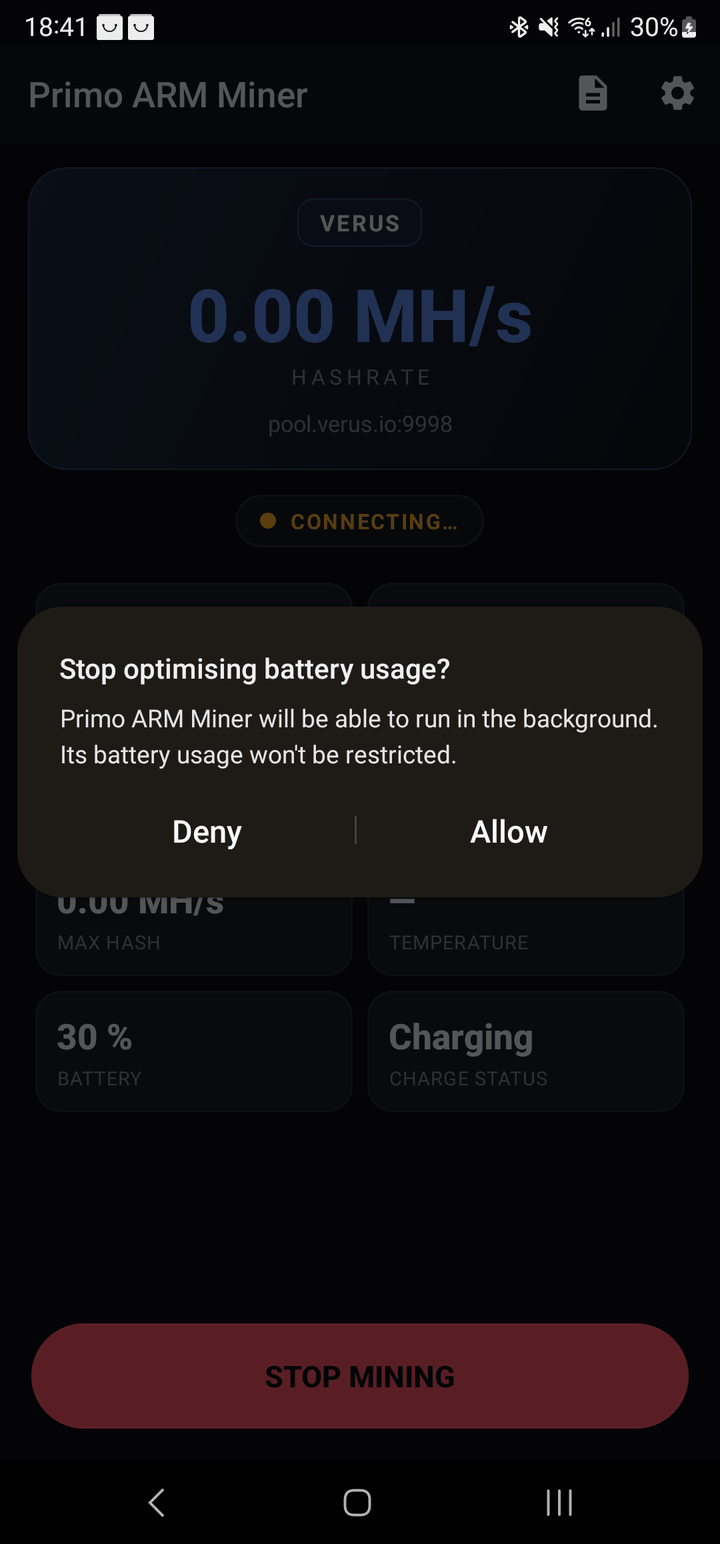
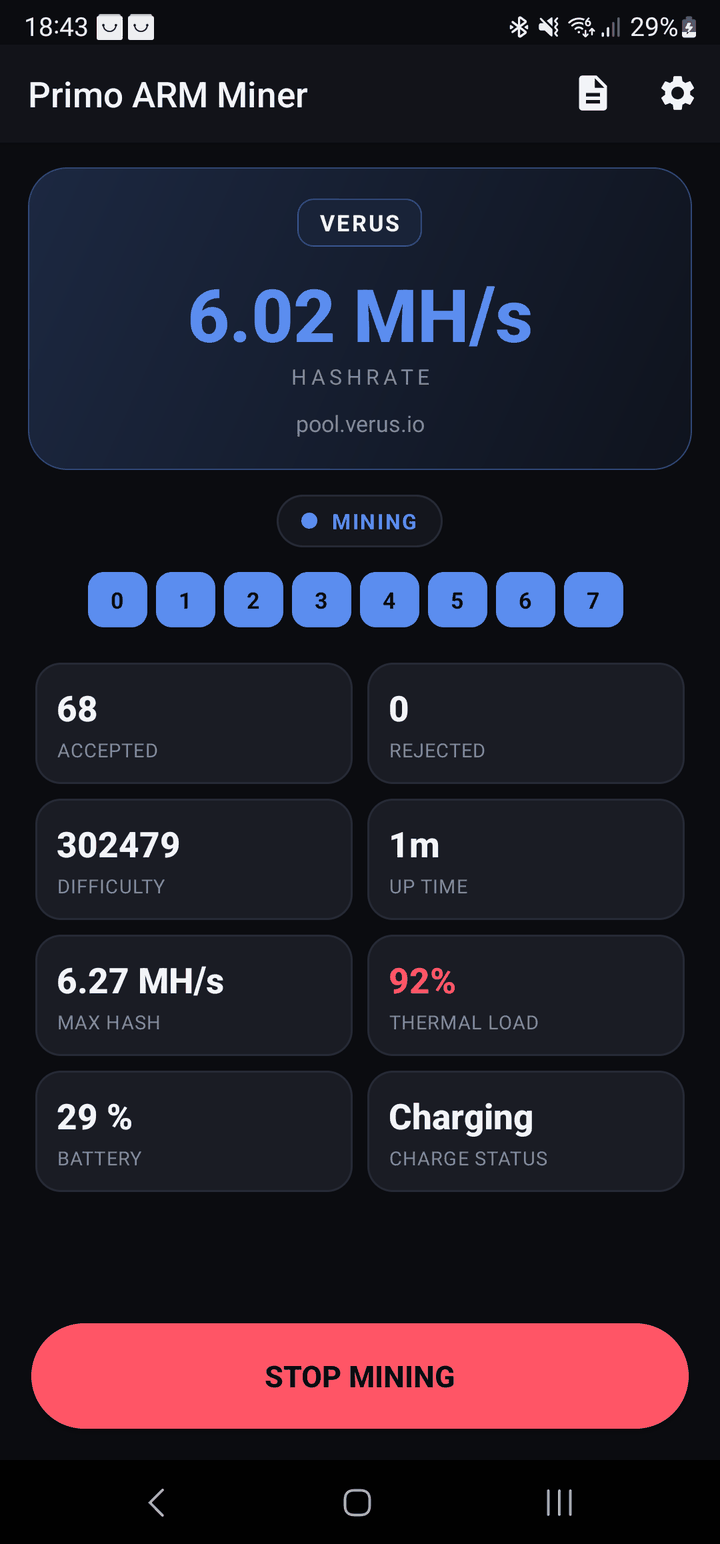
Tap Start Mining. Android asks to stop optimising battery usage so the miner isn't suspended — tap Allow. Within a minute the dashboard goes live: hashrate, a chip per thread, and Accepted shares climbing.
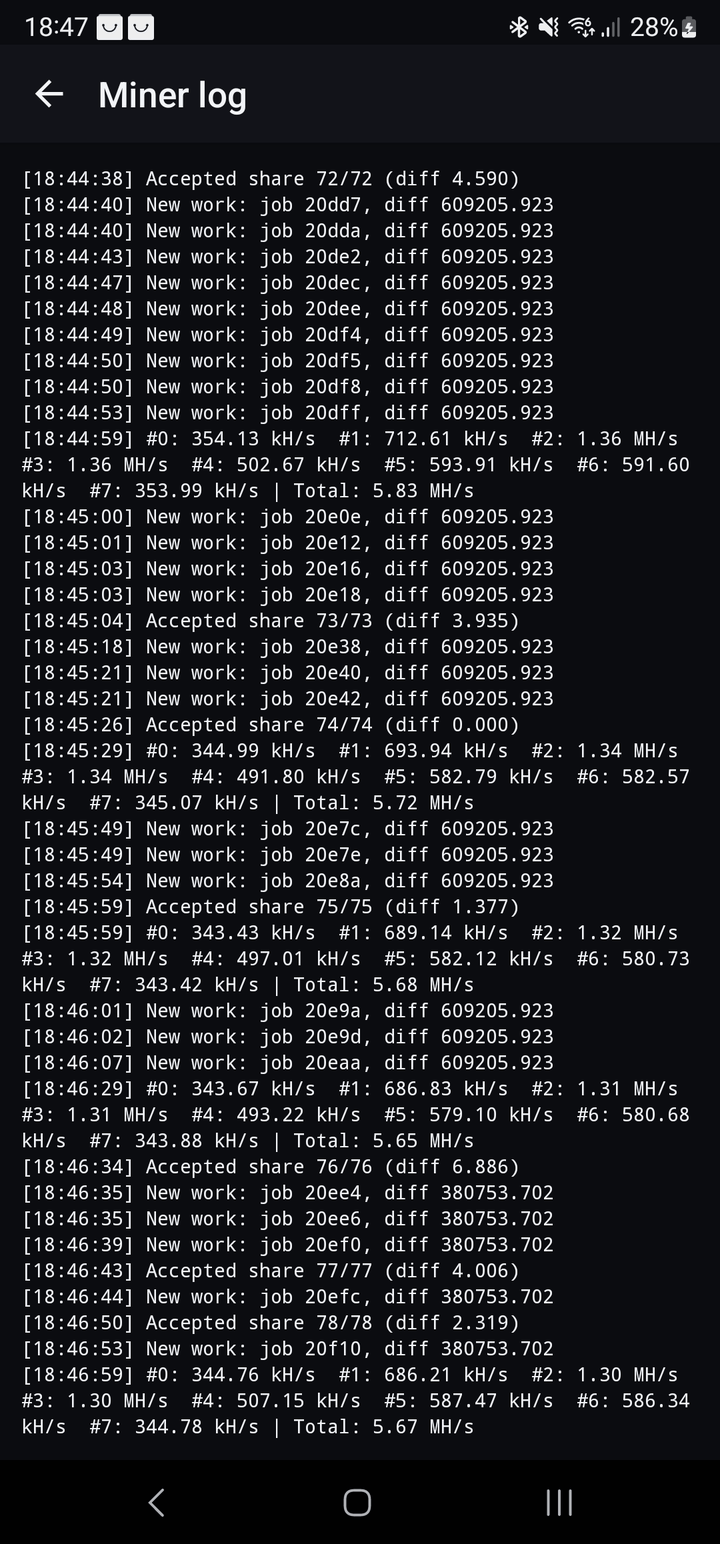
This Note 20 is doing ~6 MH/s on Verus across 8 threads with 0 rejects. Keep an eye on the thermal load tile — phones get hot at full load; mine plugged in and let it breathe.
6 · Watch the log (optional)
The document icon opens the full miner console on the phone — the same output you'd see on a desktop: accepted shares, new work, and per-thread hashrates. Handy for confirming everything's healthy.
On the same Wi-Fi and want it on another screen? Turn on the read-only monitoring API in Configuration and point a browser at the phone's :4068.