Get started
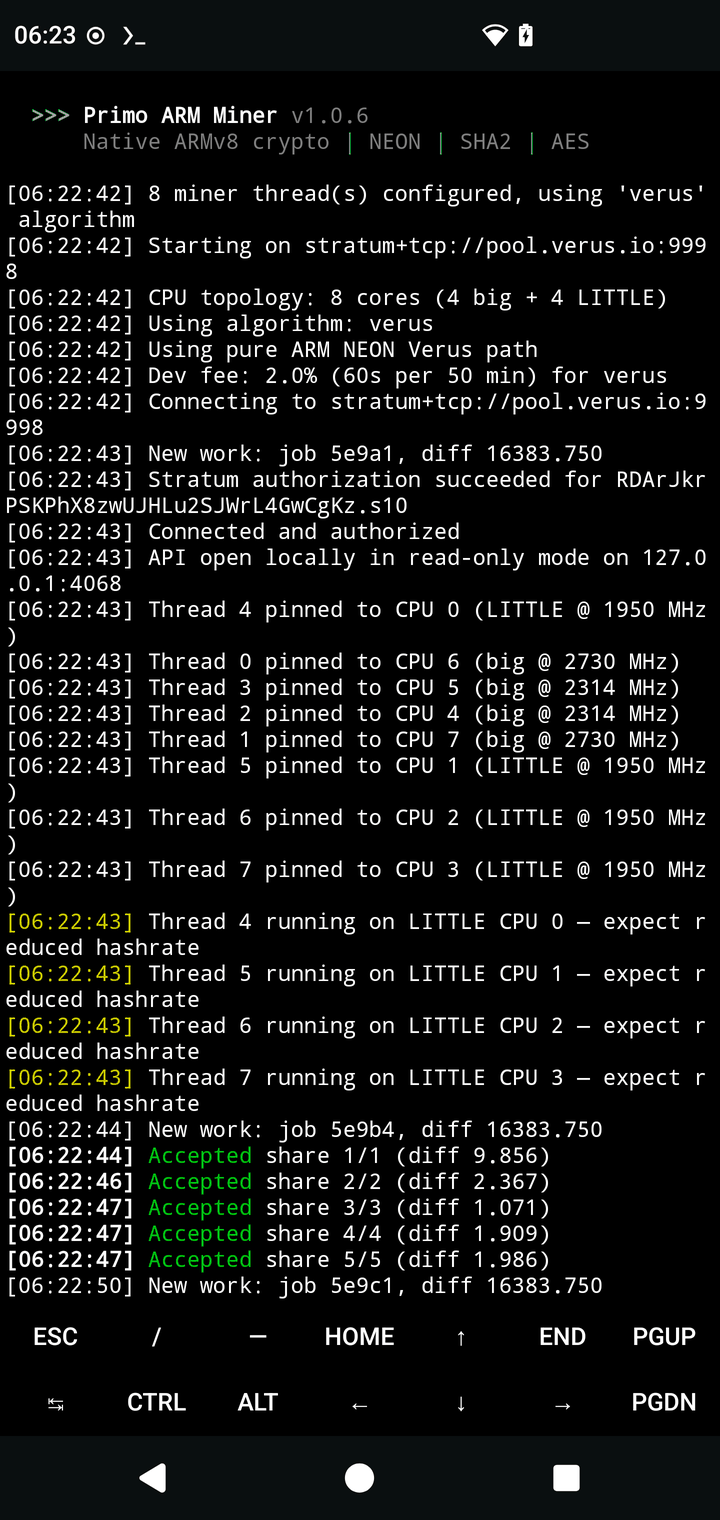
Three ways in. Each ends the same way: Accepted share lines scrolling in your terminal or app.
Linux SBC / arm64
Requirements: 64-bit ARMv8 CPU (any SoC from the last decade), 64-bit OS.
Manual alternative — download the tarball from the downloads section, then:
First run — Verus as the example (replace the wallet address with yours):
Within a minute you should see Accepted share lines. That's it — you're mining.
Android via Termux
- Install Termux — the F-Droid build is recommended (the Play Store build is outdated).
- Update packages, then run the installer:
If you see CANNOT LINK EXECUTABLE ... libcurl.so, run pkg update && pkg upgrade -y again — an old libcurl is the usual cause.
New to Termux? The full Termux mining guide walks through Monero and Verus, the screen-off throttling fix, and RandomX memory modes.
Android APK
- Download the APK from the downloads section. It's not on the Play Store (Google bans mining apps).
- Enable "install unknown apps" for your browser or file manager, then tap the APK file. Android 7+, arm64.
- Read and accept the first-launch disclaimer.
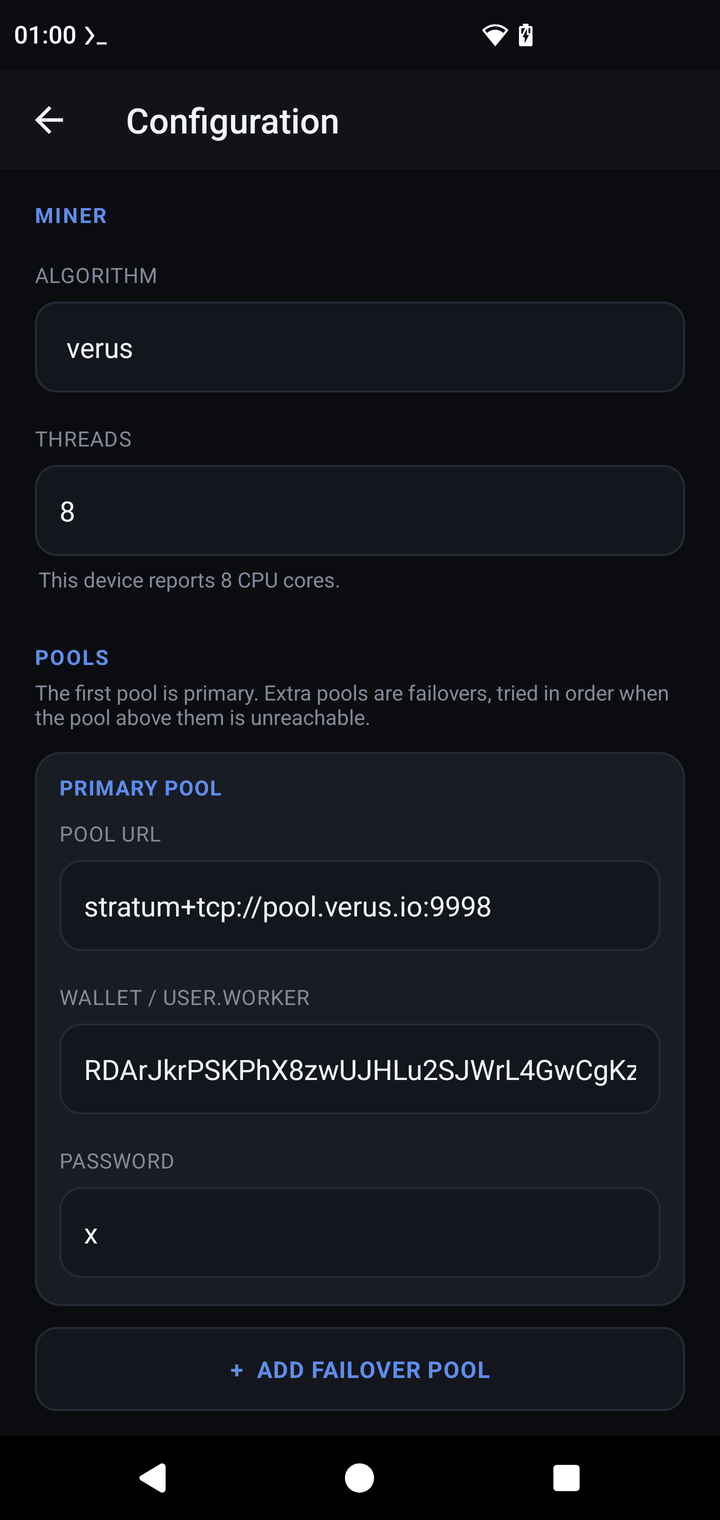
- Open Configuration: pick an algorithm → paste pool URL + wallet → SAVE.
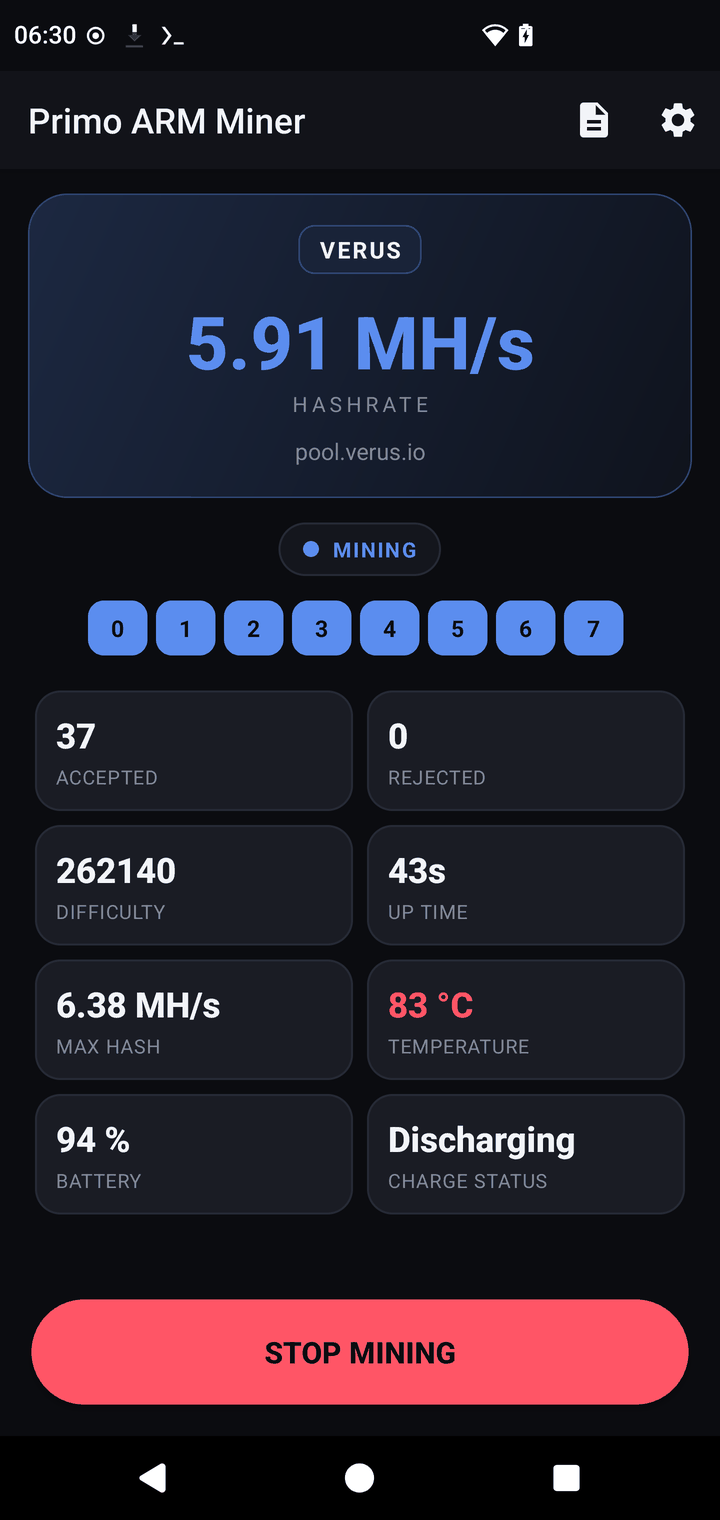
- Tap START MINING. Accepted shares appear on the dashboard within a minute.
The app keeps a profile per algorithm, supports up to 3 failover pools, can optionally expose the read-only monitoring API on your LAN, and has an in-app log viewer showing the full miner console. New to sideloading? The full APK walkthrough shows every screen, including the Play Protect prompt.
Pick your coin
Each guide takes you from no wallet to accepted shares — with honest expectations up front.