VERUS · VERUSHASH 2.2
Mining Verus on ARM
1 · Should you mine this on a CPU?
Yes — this is the CPU coin for phones and SBCs. VerusHash was designed to favor CPUs, and this miner's ARM path is faster per-watt than desktop-class x86 miners for it. Realistic expectation: a modern 8-core phone does 5–7 MH/s. Small amounts of VRSC accumulate steadily; treat it as a hobby that pays for its electricity on efficient hardware, not more.
2 · Get a wallet
Install Verus Desktop or Verus Mobile from verus.io and create a wallet — your receive address starts with R. An exchange deposit address also works to start, but move to your own wallet once you're set up.
3 · Pick a pool
Worked example throughout this page: stratum+tcp://pool.verus.io:9998. The username is your wallet address plus .workername — the worker name is anything you like, it just labels the device on the pool's stats page. Password is x.
4 · Configure the miner
CLI
config.json
APK
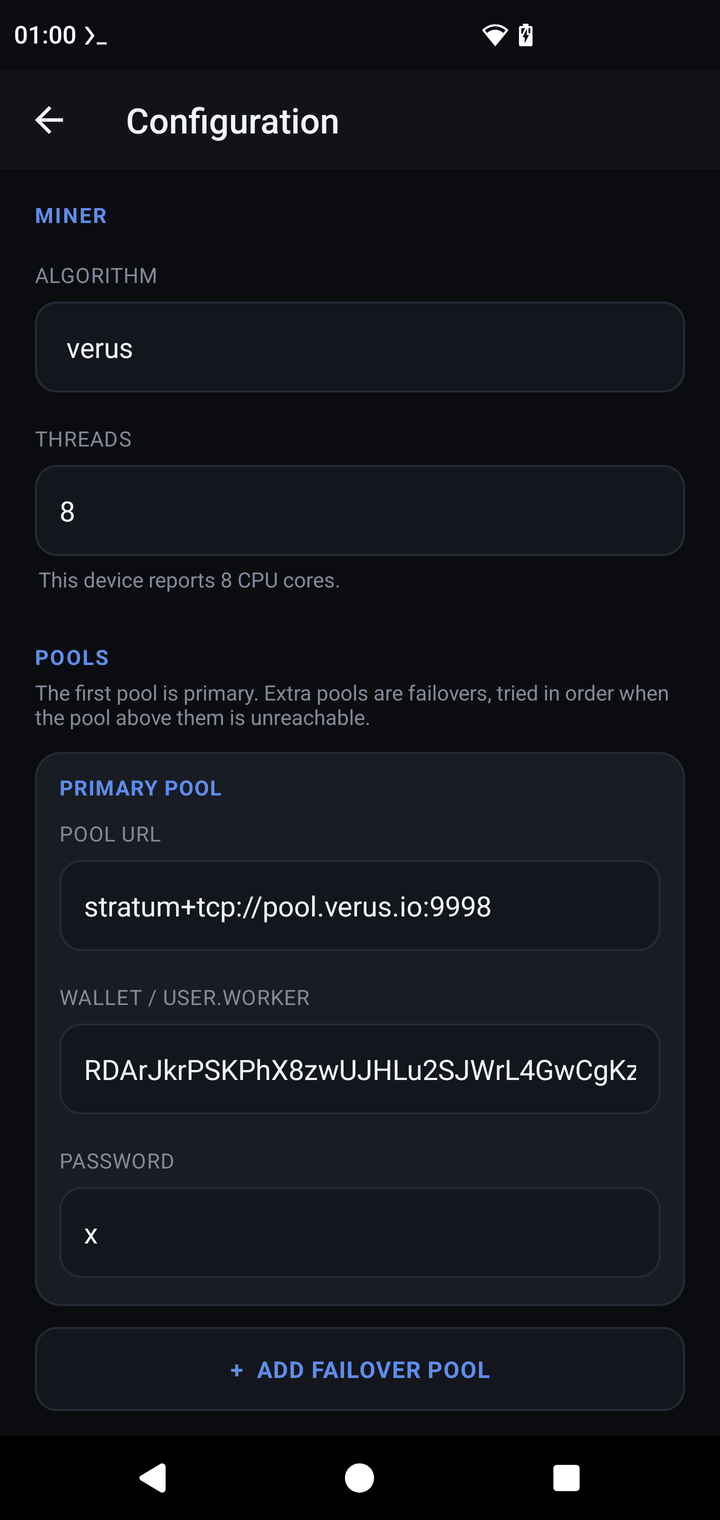
- Configuration → Algorithm → verus. Threads defaults to your core count.
- Primary pool: URL
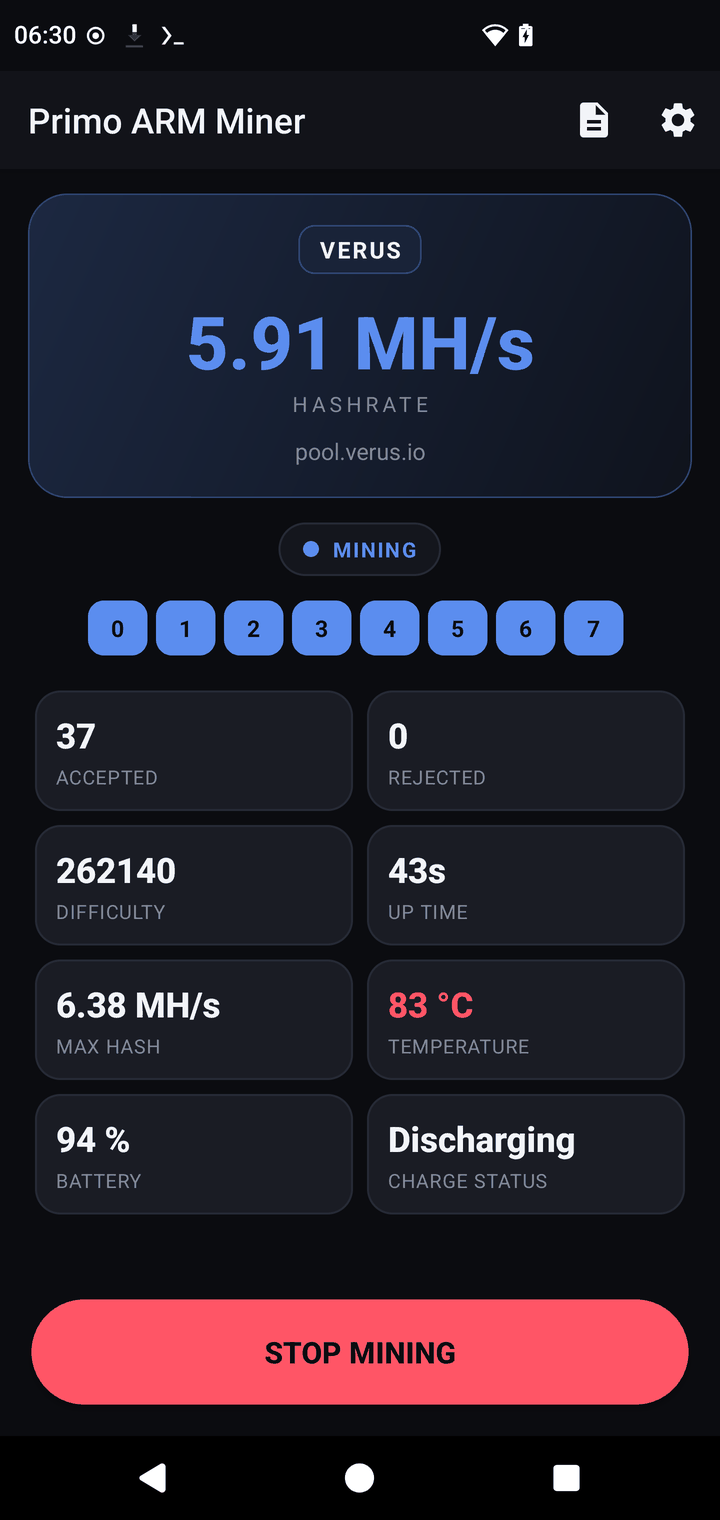
stratum+tcp://pool.verus.io:9998, wallet/user = your R-address +.workername, passwordx. - SAVE, then START MINING. The dashboard shows accepted shares within a minute.
5 · What to expect
| Hardware | Hashrate |
|---|---|
| Phone big core (1 thread) | ~1–1.4 MH/s |
| Phone LITTLE core (1 thread) | ~0.5 MH/s |
| Modern phone, 8 threads | 5–7 MH/s |
| RK3588 board, 8 threads | ~7.5 MH/s |
6 · Verus-specific notes
- The dev fee on Verus is 2% (60 s per 50 min) — higher than the other algorithms because the ARM VerusHash path is the project's main original work. It logs itself in the console.
- VerusHash loves the big cores; LITTLE cores contribute roughly a third as much each. The miner pins and balances this automatically.
- Sustained mining on a phone settles lower than the first minute's burst — cooling is the difference between 5 and 7 MH/s.
- Pool payouts arrive automatically once you pass the pool's minimum; check your address on the pool's web stats.