Merged-mining Litecoin + Dogecoin on ARM
1 · Should you mine this on a CPU?
2 · How merged mining works
Dogecoin accepts Litecoin proof-of-work via AuxPoW: the same scrypt share can satisfy both chains at once. This is handled entirely pool-side — the miner just mines scrypt; the pool credits you LTC and DOGE for the same work. Nothing to configure in the miner.
Two pool styles exist. Account-based (e.g. litecoinpool.org): you register, log in as username.worker, and set payout addresses for both coins on the website — both are credited automatically. Address-based pools skip registration: your LTC address is the login, and DOGE payout (if offered) is configured via the password field or the pool's site.
3 · Get wallets
You'll want two addresses: Litecoin (Litecoin Core, or Electrum-LTC) and Dogecoin (Dogecoin Core, or MultiDoge). With an account-based pool you paste both into your pool account settings once.
4 · Configure the miner
Worked example with litecoinpool.org (account-based; register first, set LTC + DOGE payout addresses on the site):
CLI
config.json
APK
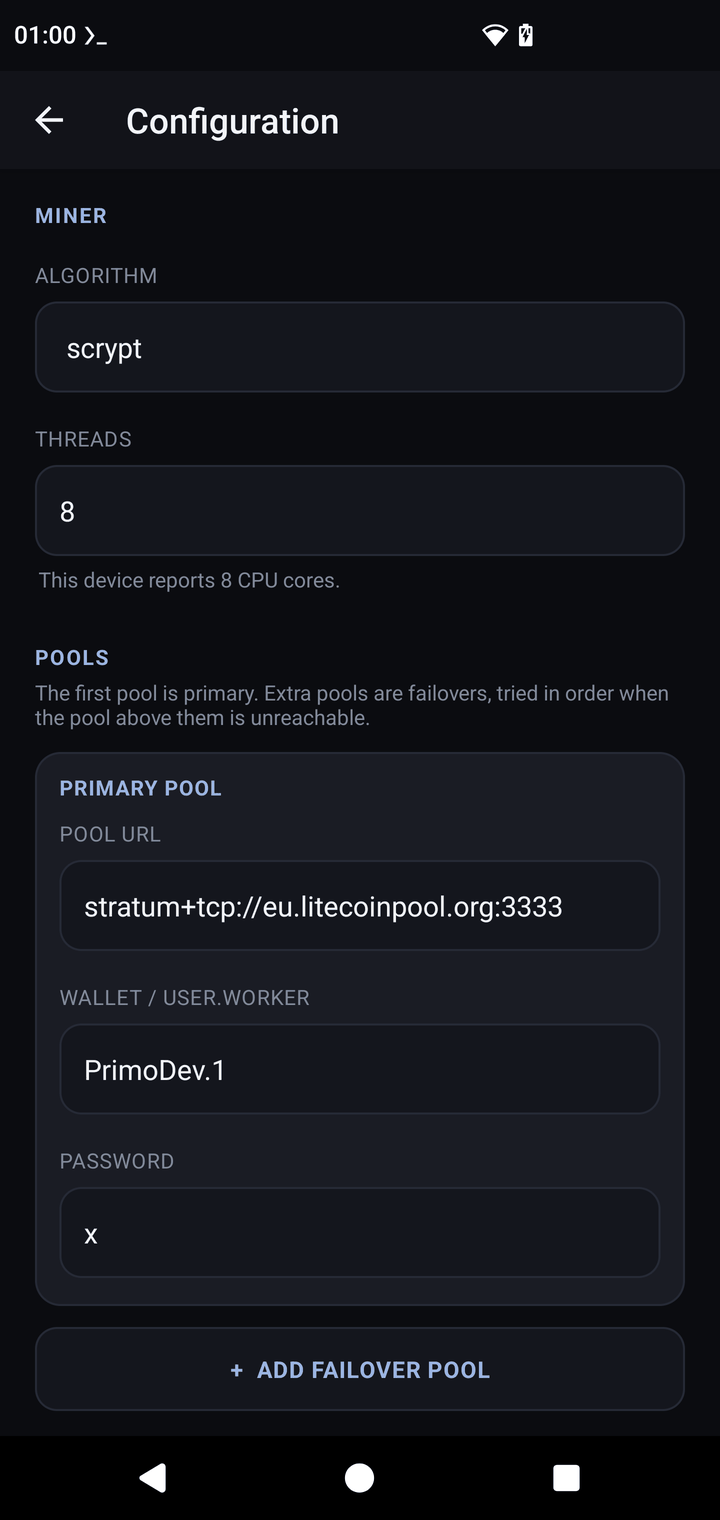
- Configuration → Algorithm → scrypt. Threads defaults to your core count.
- Primary pool: URL and litecoinpool username as above (username +
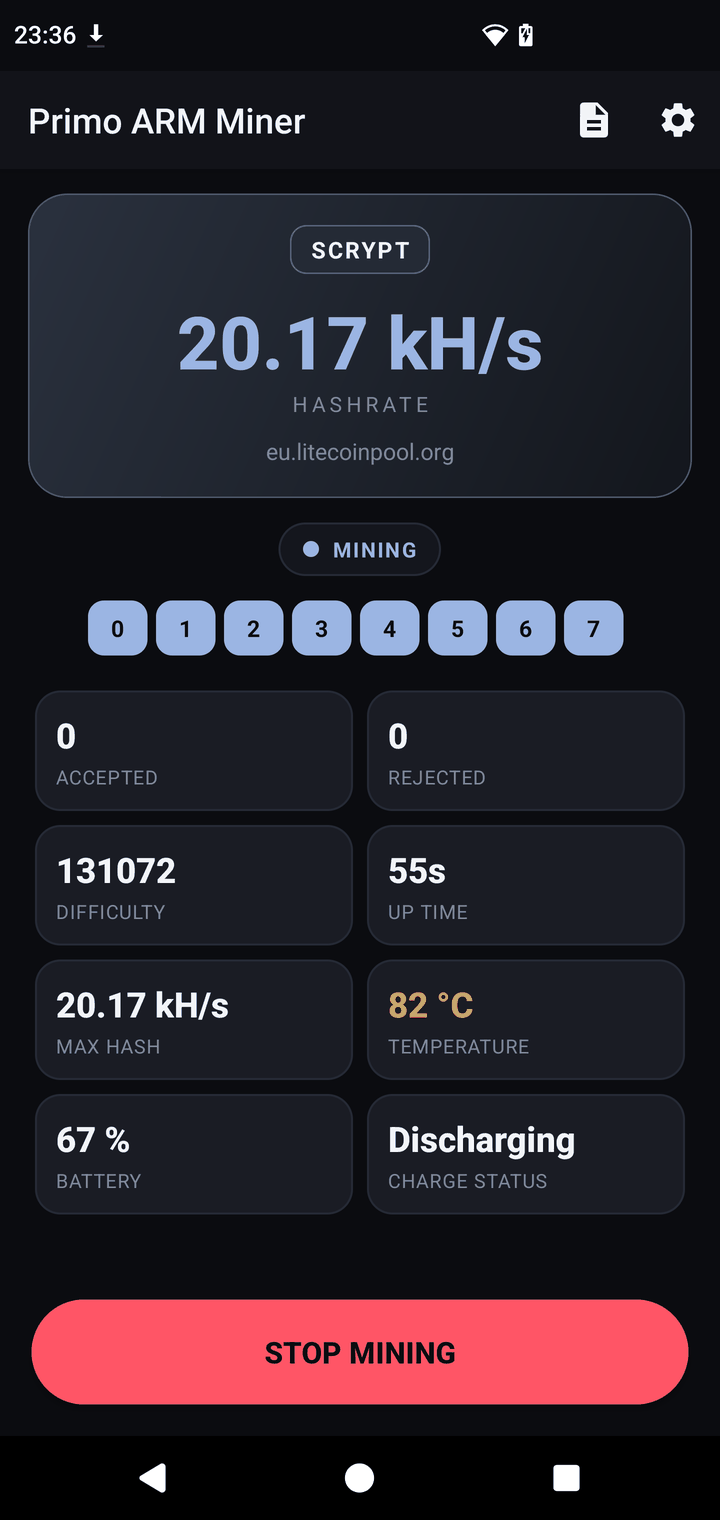
.workername), passwordx. - SAVE, then START MINING. Each algorithm keeps its own profile — switching back to Verus later restores that config untouched.
5 · What to expect
| Hardware | Hashrate |
|---|---|
| A76-class big core (1 thread) | ~4.8 kH/s |
| 8 threads (phone or RK3588) | ~25 kH/s |
For scale: a scrypt ASIC does ~1 GH/s — about 40,000× an 8-core phone. Hence "not for money".
6 · Scrypt-specific notes
- Merged mining costs nothing extra — same shares, two coin credits. There's no reason to mine LTC alone on a merged pool.
- Account-based pools show both balances on your account page; payouts follow each coin's minimum.
- Scrypt runs cooler than Verus and RandomX — a reasonable choice for testing thermal behavior.
- Dev fee on scrypt: 1% (60 s per 100 min), logged in the console.